AI Video Director: How NanoBanana's Agent Turns Your Idea Into a Complete Video
NanoBanana's AI Video Director Agent automates the entire video production pipeline — screenplay, characters, scenes, storyboard, and final video clips — from a single prompt.
TL;DR
NanoBanana's new AI Video Director Agent takes a single idea — one sentence — and autonomously runs the full production pipeline: writing the screenplay, designing characters and scenes, generating reference images, breaking down shots, and submitting all video clips for generation in parallel. No timelines, no tools, no expertise required.
📌 Key Highlights (10-second read)
- ✅ Full pipeline in one chat: Screenplay → character/scene assets → storyboard → video clips
- ✅ Parallel video generation: All shots submitted simultaneously — 5× faster than one-by-one
- ✅ Character & scene consistency: Reference images keep visuals coherent across every shot
- ✅ Continuity auto-check: AI detects and fixes inconsistencies before video generation starts
- ✅ Flexible entry points: Jump in at any stage — skip what you've already done
- ⏱️ Reading time: 5 minutes
The Problem With "Text to Video"
Every major AI lab now offers text-to-video. You type a prompt, you get a clip. Simple enough — until you need more than 5 seconds of coherent footage.
The real challenge isn't generating a single clip. It's producing a sequence: multiple shots with the same characters, consistent locations, logical story progression, and controlled pacing. That's what professional video production has always required. And that's exactly what a single text-to-video model cannot do on its own.
Most creators solve this with a painful manual loop: generate a clip → adjust the prompt → regenerate → repeat for every shot → hope the characters still look the same. It's slow, inconsistent, and creatively exhausting.
NanoBanana's AI Video Director was built to replace that loop entirely.
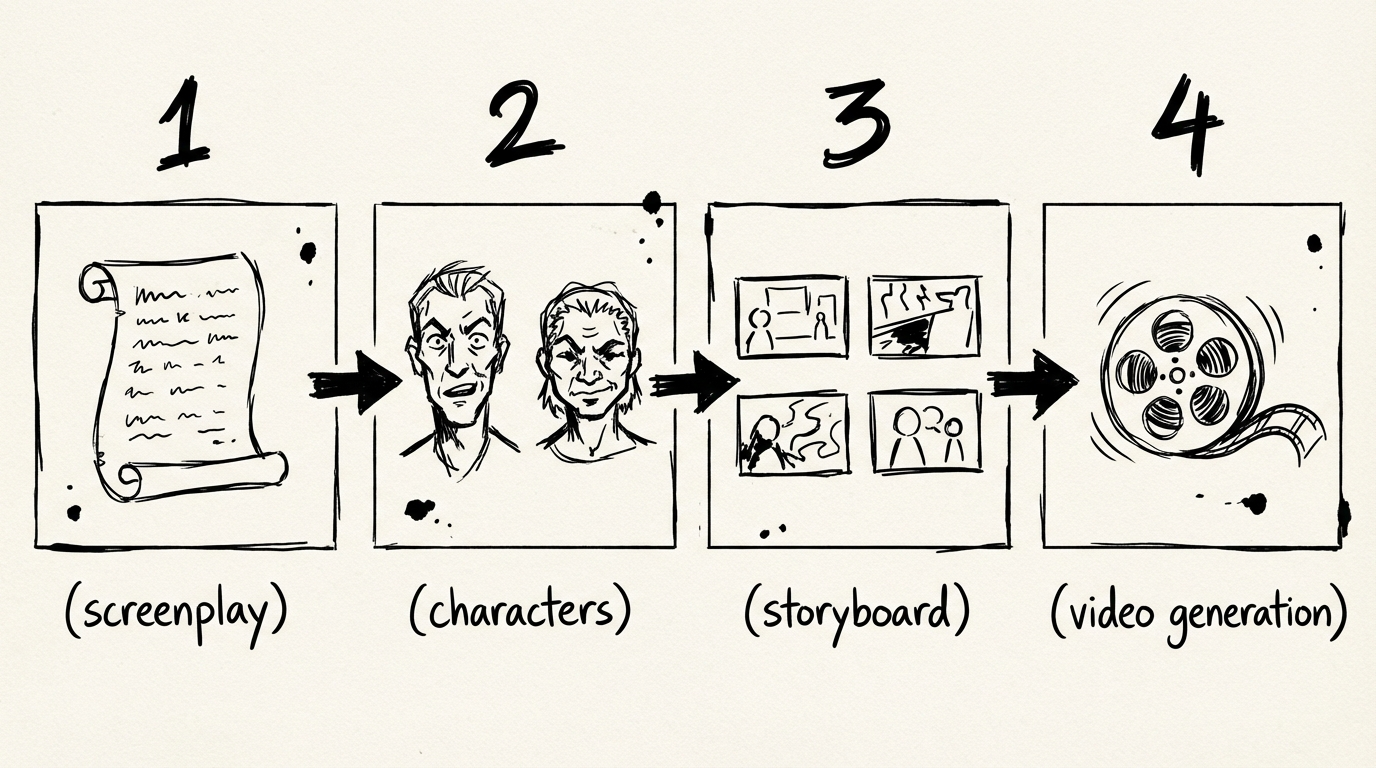
The Full Production Pipeline, Automated
The AI Video Director Agent runs a four-stage production pipeline inside a single conversation. Here's exactly what happens at each stage.
Stage 1 — Screenplay: Outline, Characters, and Scenes
You give the Agent one input: your creative goal.
"Make me a 30-second thriller about an astronaut who discovers an alien signal on Mars."
The Agent's createScreenplay step generates three things simultaneously in one call:
| What | What you get |
|---|---|
| Story Outline | Title, synopsis, themes, and act structure (calibrated to your target duration) |
| Characters | Full profiles: name, role, appearance (visual detail for image gen), personality, arc |
| Scenes | Location, time of day, characters present, emotional tone, description |
Everything lives in a single card you can review before proceeding. The character count and scene count are driven entirely by story scope — the Agent doesn't cap them artificially.
💡 Already have a screenplay? Skip Stage 1 entirely and paste your shot list directly. The Agent picks up wherever you are.
Stage 2 — Visual Assets: Character Reference Images and Scene Images
Before any video is generated, the Agent builds a visual library for your production.
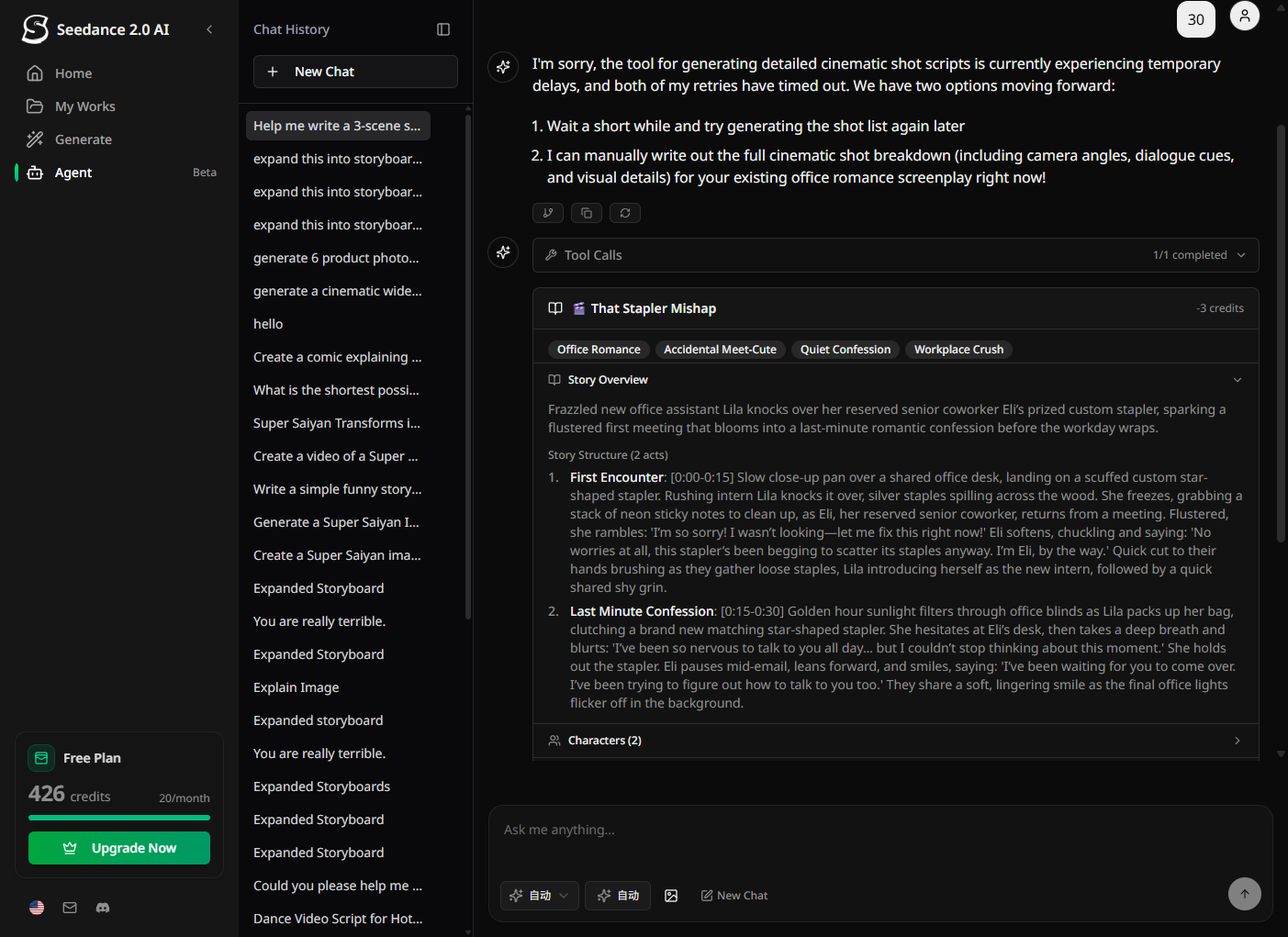
- Character reference images: One image per character, generated from the detailed appearance description in Stage 1. These serve as the visual anchor for every shot that character appears in.
- Scene reference images: One image per key location, establishing the visual language for lighting, environment, and mood.
This is what separates the AI Video Director from a plain text-to-video tool. Video generation models produce dramatically more consistent results when anchored to a reference image — the same character looks like the same character from shot to shot.
Stage 3 — Shot Breakdown: The Storyboard
With the screenplay and assets locked, the Agent generates a detailed shot script for every scene.
Each shot includes:
- Shot type (close-up, medium, wide, POV, overhead)
- Camera angle and movement
- Visual description tailored for video generation
- Character action and dialogue cues
- Emotional tone
- Duration (calibrated to the chosen video model's supported lengths)
The Agent then runs an automatic continuity check — scanning the entire shot sequence for inconsistencies in character appearance, location logic, and timeline coherence. If it finds issues, it fixes them automatically and re-checks (up to two rounds) before asking you.
Stage 4 — Video Generation: All Clips in Parallel
Once you confirm, the Agent compiles an optimized video prompt for every shot and submits them all simultaneously.
This is where the architecture matters. Most workflows generate one clip, wait for it to finish, then generate the next. NanoBanana's Agent uses parallel submission — all shots are submitted to the video provider at once, each polling its own status independently. For a 5-shot project, this means you're looking at the time of one clip, not five.
Each clip card updates in real-time as generation completes. When a clip is ready, it appears inline — no need to navigate to the video library.
🎬 Need to regenerate a single failed shot? Use the single-shot tool to retry just that clip without disturbing the rest.
What Makes This Different
It Works Like a Real Production
The pipeline mirrors how professional video is actually made: concept → casting + locations → storyboard → shoot. The AI handles all the craft decisions inside each step, but the structure ensures that each stage informs the next — characters defined in Stage 1 appear in Stage 3's shot descriptions, location images from Stage 2 anchor the visual prompts in Stage 4.
Flexible, Not Rigid
The pipeline is a default path, not a requirement. Power users can:
- Start from Stage 3 if they have an existing screenplay
- Skip character asset generation for animation-style videos
- Regenerate a single shot without re-running the full pipeline
- Change the video model or target duration at the compile step
Credits Stay Predictable
Every stage has a fixed cost shown before you confirm:
| Stage | Cost |
|---|---|
| Screenplay (outline + characters + scenes) | 3 credits |
| Character reference images | 3 credits / character |
| Scene reference images | 3 credits / scene |
| Shot breakdown | 3 credits |
| Video generation | Varies by model and duration |
High-cost operations (video generation) require explicit confirmation before credits are charged. If any clip fails to submit, only the successful ones are billed.
Who This Is For
Solo creators who have a story idea but no production team. The Agent handles every craft decision — you just approve or adjust at each stage.
Marketing teams who need product videos, brand spots, or social content at scale. Define your brand character once, reuse the reference image across unlimited productions.
Developers and agencies who want to offer AI video production as a service. The structured pipeline means predictable outputs and traceable decision points.
Filmmakers exploring AI who want to test narrative ideas quickly before committing to a full shoot. The storyboard stage alone is worth the price.
Try It Now
The AI Video Director is live on NanoBanana. Open a new chat, describe your video idea, and the Agent will walk you through the pipeline.
Short on credits? Check the pricing page — credits start at $20 for 900.
FAQ
How long does the full pipeline take?
Screenplay generation takes 30–60 seconds. Asset generation depends on the number of characters and scenes (roughly 10–15 seconds each). Video generation time depends on the model and duration — typically 2–5 minutes per clip, but since all clips submit in parallel, total wait time equals one clip, not all clips combined.
Can I use my own reference images instead of generating them?
Yes. You can skip the asset generation stage and provide your own reference images as first-frame anchors for video generation. Describe your images in the chat and the Agent will use them at the compile step.
Which video models are supported?
The Agent works with all video models available on NanoBanana, including Seedance 2.0, Veo 3.1 Lite, WAN 2.7, and others. You choose the model at the compile step. Different models have different supported durations and credit costs.
Does it work for short videos only?
No. The screenplay step calibrates act count and scene count to your target duration. A 10-second video gets 1 act and 1–2 scenes. A 2-minute video gets 3 acts and proportionally more scenes. The Agent biases toward tight, punchy productions unless you explicitly ask for longer.
What happens if a video clip fails to generate?
Failed clips are marked in your session. You can retry individual shots without re-running the full pipeline. Credits are only charged for successfully submitted clips.
Is there a way to edit the screenplay before generating assets?
Yes. After Stage 1 completes, the screenplay card shows the full outline, character profiles, and scene list. You can ask the Agent to revise any element in natural language before proceeding to the next stage.
Can I generate images only, without video?
Absolutely. The direct Generate Image tool is always available — no Agent pipeline required. Ask the Agent to generate an image and it will handle it in one step, outside the video production workflow.
How does the continuity check work?
After the shot breakdown is complete, the Agent runs checkContinuity — an AI step that reads all shots sequentially and flags issues like: a character's hair color changing between shots, a scene that takes place at night followed by a scene in bright daylight with no time transition, or a prop that disappears between shots. Issues are auto-fixed when possible and reported when not.
More Posts
PixVerse V6 vs V5.6: Camera Controls, Audio, and the Multi-Shot Engine
PixVerse V6 launched March 30, 2026. Compared to V5.6, it adds 20+ cinema camera controls, native audio, a multi-shot engine, and raises the clip limit to 15 seconds at 1080p. Here's a direct breakdown.

AI Image Agent: Generate One Image or a Hundred — Without Switching Tools
NanoBanana's AI Image Agent handles everything from single concept images to batch style transfers in one conversation. No prompt engineering required.
Wan 2.7 vs Wan 2.6: What Actually Changed
Wan 2.7 adds first/last frame control, 9-grid image input, multi-reference video, and instruction editing that Wan 2.6 didn't have. Here's a practical breakdown of what changed and when to use each.