
LogoSeedance 2.0 AI
  • إنشاء
  • صورة AI
  • فيديو AI
  • المطالبات
  • الأسعار
  • API

Z-Image AI Image Generator

Z-Image is Tongyi-MAI’s open-source 6B image foundation model. It focuses on prompt adherence, broad visual range, and downstream variants such as Turbo and Edit; on this page, you can use it for text-to-image and simple single-reference image-to-image workflows.

جاري التحميل...

التوجيه:

1:1

4:3

3:4

16:9

9:16

النموذج:

جاري التحميل...

لا توجد معاينة

How to use Z-Image

Use Z-Image here for text-to-image and single-reference image-to-image

Start with a prompt, optionally add one reference image, and refine the result in a few quick passes while keeping the request narrow and readable.

01

Describe the subject and visual goal

Write a prompt with the subject, camera feel, lighting, composition, and any text you want inside the image.

02

Add one reference image if needed

If you want to preserve mood, product shape, or layout direction, add one image reference and steer the result with natural language.

03

Generate fast variations and refine

Generate images in the ratio you need, compare variations, and tighten the prompt until the composition and text look right.

Core strengths of Z-Image

Why creators choose Z-Image for control, diversity, and open deployment

Z-Image is an open 6B foundation model with prompt adherence, broad style range, and working paths into self-hosted or customized workflows.

Open-source 6B foundation model

Z-Image is the base model in the family, so teams can study, fine-tune, and deploy the upstream release instead of relying on a closed hosted-only model.

The upstream release is Apache-2.0 and publicly available through GitHub and Hugging Face.
It serves as the base for downstream family variants such as Z-Image-Turbo and Z-Image-Edit.
Choose it when model access and downstream control matter, not just one-click generation.

Strong prompt and negative-prompt control

Official materials emphasize prompt adherence and negative prompting, which helps when you need prompt changes to show up clearly in the result.

It responds well when you specify subject, composition, style, and what should be avoided.
That is useful for posters, product scenes, and layout-sensitive prompts.
It is easier to compare variations when the same prompt direction stays stable.

Broader style range and visual diversity

As an undistilled base model, Z-Image covers a wider range of visual directions than a narrowly optimized fast variant.

It can move between realistic, poster-like, and more stylized directions without feeling locked into one visual personality.
It works well for exploring identities, poses, layouts, and art-direction changes from the same base prompt.
That makes it useful early in the process, before you narrow to one final look.

Friendly to self-hosting and downstream workflows

Z-Image already appears across diffusers, local runtimes, ComfyUI utilities, and workflow packs, which matters if you want to build around it.

There are real local inference paths and community tooling instead of only hosted demos.
It is easier to connect to LoRA, ControlNet, and custom workflow experiments.
That matters when deployment flexibility is part of the model choice.
Best use cases

Where Z-Image works especially well

Best suited to prompt-led generation, poster layouts, product-style visuals, and one-reference refinements on this page.

Prompt-led product and marketing visuals

Create product shots, packaging mockups, ad concepts, and landing-page visuals when you want a controllable commercial look.

Poster and typography-led concepts

Use Z-Image for posters, social graphics, and layout-driven creatives where prompt control and readable text matter.

Reference-based image refinement

Start from one image reference and push the style, framing, or visual direction without rebuilding the concept from scratch.

Self-hosted and workflow-driven use

Use Z-Image when you may later move the same model into ComfyUI, local runtimes, or a more customized image pipeline.

Prompt patterns and examples

How to write better Z-Image prompts with real examples

Each card shows a prompt pattern, a real Z-Image result, and the writing details behind it. Start from the example image, then expand the card to see the full prompt, why it works, and how to write prompts like it.

Product visual

Good prompt fit

Best for product visuals with clean commercial lighting control.

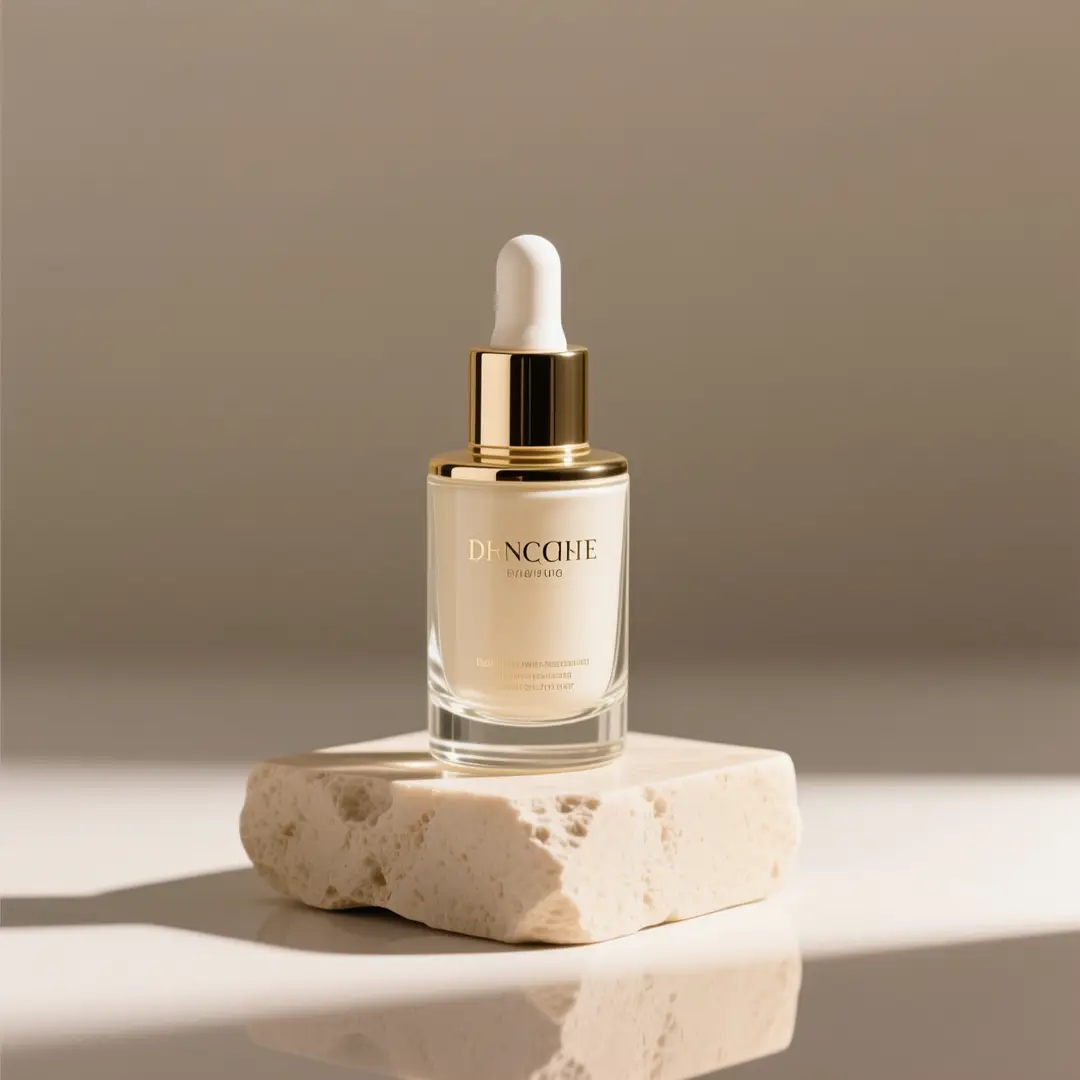
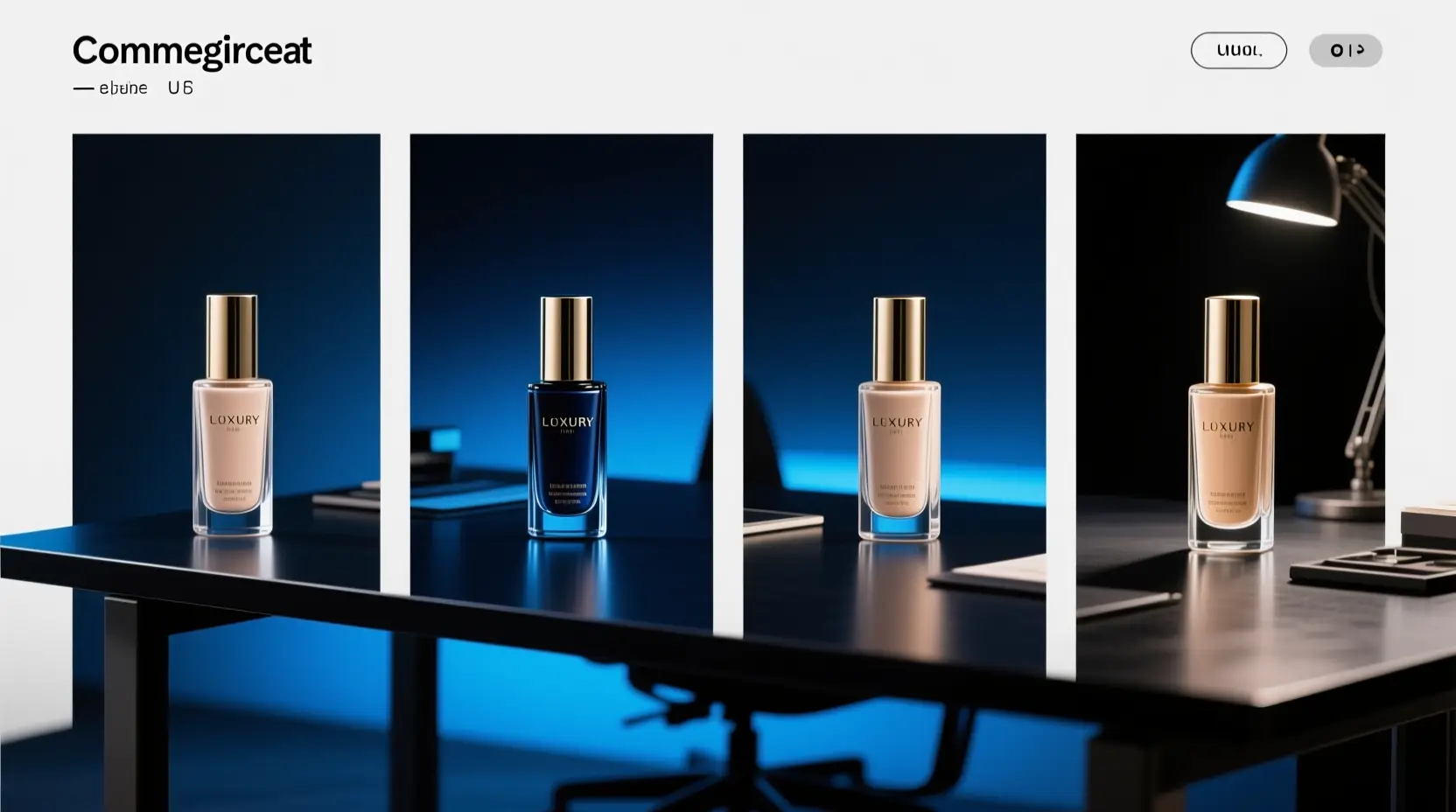
A premium skincare bottle photographed on a stone pedestal with soft studio light.

Premium skincare product hero image

Prompt formula

[product] + [camera angle] + [surface/background] + [lighting] + [commercial finish]

View prompt detailsExpand

Full prompt

A premium glass skincare bottle on a light beige stone pedestal, soft directional studio lighting, subtle shadow, clean editorial composition, luxury e-commerce hero shot, minimal background, realistic reflections, high-end packaging photography.

Why it works for Z-Image

This prompt matches Z-Image’s realism, lighting control, and polished commercial look.

Output goal

A clean product image for a landing page, storefront banner, or PDP hero.

Tips

  • Name the product first, then lock the shot type and surface setup.
  • Use material words like glass, stone, matte, or reflective to reduce ambiguity.
Poster with text

Good prompt fit

Best for poster concepts where readable Chinese or English text matters.

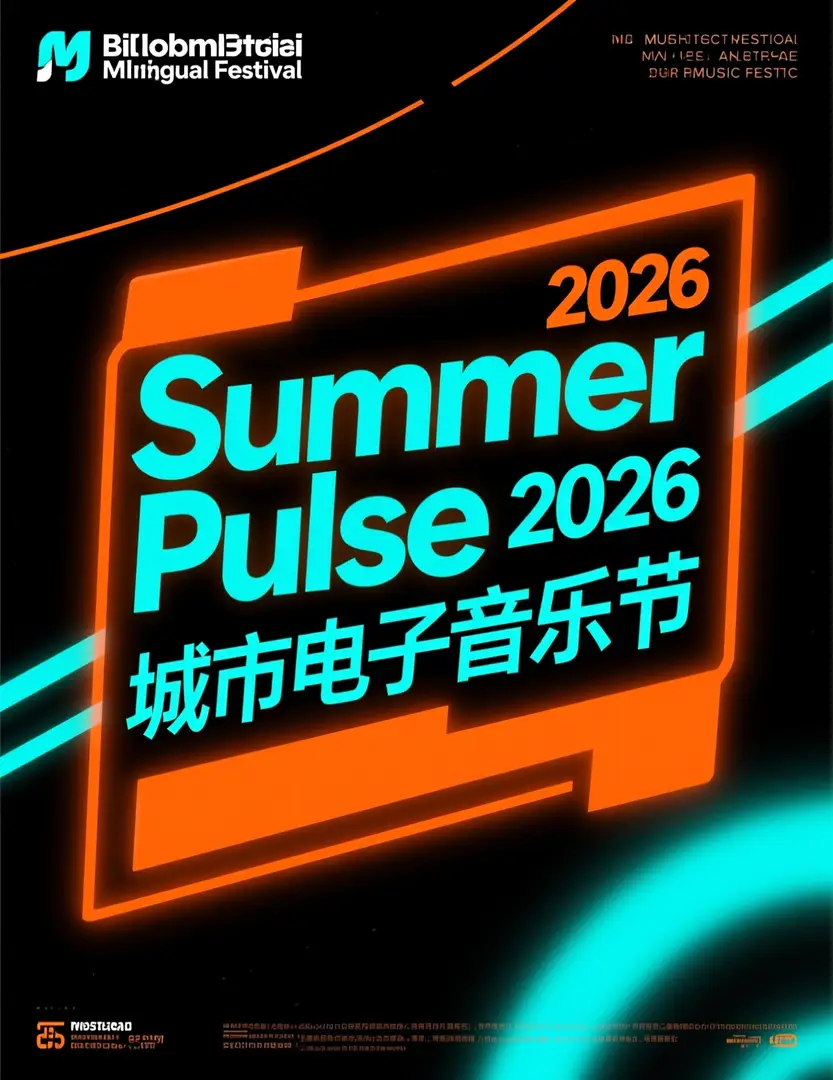
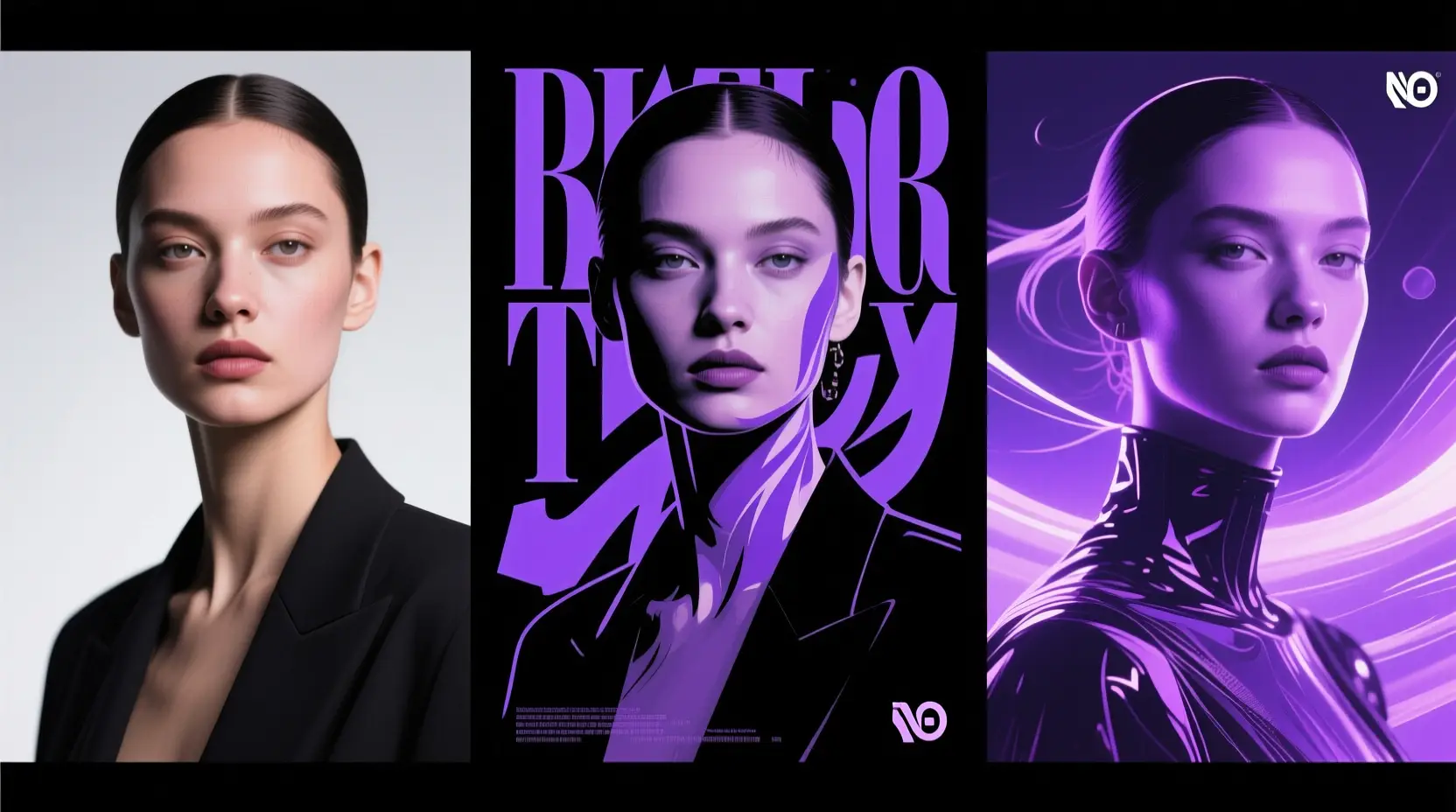
A bilingual festival poster with a large Summer Pulse 2026 headline and bold Chinese text.

Bilingual music festival poster

Prompt formula

[poster subject] + [headline text] + [text language] + [layout hierarchy] + [background style]

View prompt detailsExpand

Full prompt

Modern bilingual music festival poster, bold headline “Summer Pulse 2026”, smaller Chinese subtitle “城市电子音乐节”, black background with neon orange and cyan accents, clear visual hierarchy, centered headline block, dynamic but readable event poster design.

Why it works for Z-Image

Z-Image is stronger when readable Chinese or English text is part of the idea, not just decoration.

Output goal

A text-aware poster concept with a clearer headline block and readable supporting text.

Tips

  • Put exact headline copy in quotation marks when wording matters.
  • Describe text hierarchy separately from the poster mood.
Image-to-image

Good prompt fit

Best for single-reference edits where the object identity should stay stable.

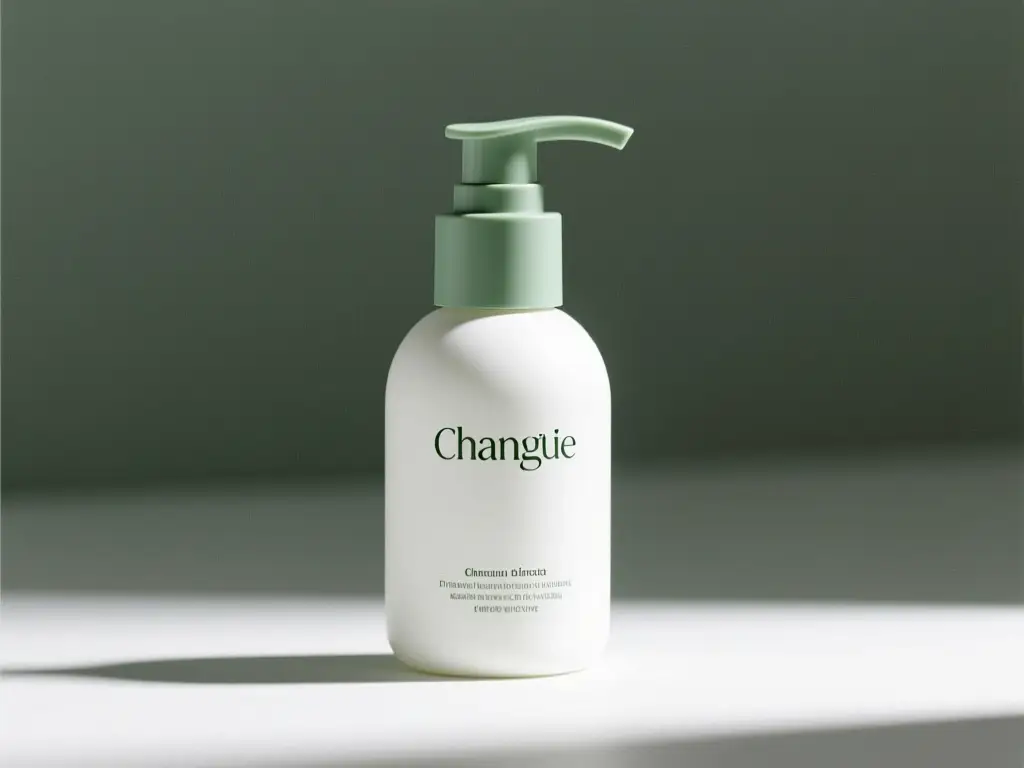
A matte white skincare pump bottle with sage green accents generated from a reference-driven packaging refresh prompt.

Reference-guided packaging update

Prompt formula

[what stays the same] + [what changes] + [new lighting/style/composition direction]

View prompt detailsExpand

Full prompt

Keep the bottle shape, cap structure, and front-facing composition from the reference image. Change the packaging style to a modern matte white and sage green palette, softer studio light, cleaner premium skincare branding direction, more refined retail presentation.

Why it works for Z-Image

This fits Z-Image’s single-reference editing well and keeps the request focused.

Output goal

A controlled refresh that keeps the product identity while upgrading the packaging direction.

Tips

  • State the stable elements first, such as shape, framing, or product structure.
  • Keep the change request narrow so one reference image can guide it cleanly.
Marketing creative

Good prompt fit

Best for commercial ad directions that need energy and product clarity.

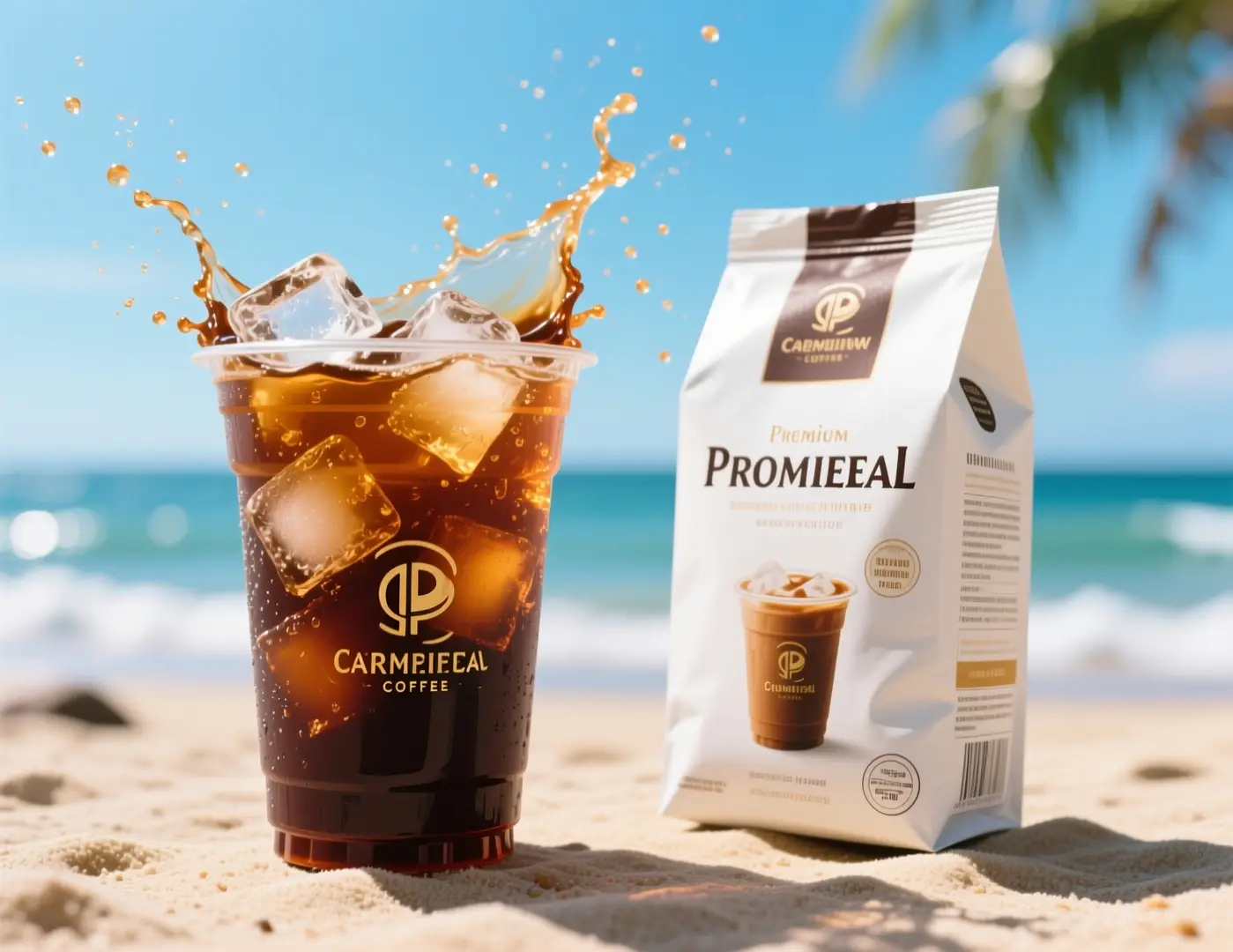
An iced coffee ad visual with splashing cold brew on a sunny beach background.

Fast social ad concept for a coffee brand

Prompt formula

[subject] + [visual direction] + [composition] + [color / lighting] + [usage context]

View prompt detailsExpand

Full prompt

Commercial iced coffee campaign visual, close-up cold brew cup with ice splash, premium coffee packaging beside the drink, bright summer daylight, beachside mood, energetic composition, crisp product photography, premium beverage advertising style, no logos, no brand names, clean packaging design.

Why it works for Z-Image

The prompt is specific about product setup, lighting, and campaign intent while avoiding branded copy.

Output goal

A beverage ad direction you can adapt for paid social, seasonal promos, or a landing page hero.

Tips

  • Mention the marketing channel or usage context so the composition feels purposeful.
  • Describe one strong action, such as a splash or close-up, instead of several competing motions.
Community proof

Community examples and outside discussion around Z-Image

These videos, X posts, and Reddit discussions add outside examples and community perspective around Z-Image. They work best as supporting proof after you understand the model itself and the prompt patterns above.

Video examples

X posts

Reddit discussions

Open-source ecosystem

Related open-source projects for Z-Image

These GitHub projects were manually reviewed for direct relevance to Z-Image or the broader Z-Image family. Use them if you want to study the model, run it locally, or inspect the current ecosystem around it.

Repo 01

Tongyi-MAI / Z-Image

Official repository

The upstream Z-Image repository from Tongyi-MAI. It is the primary source for the 6B model family, checkpoints, report links, and official inference guidance.

10,481 stars
Apache-2.0
View project

Repo 02

leejet / stable-diffusion.cpp

Multi-model local runtime

A broad C/C++ diffusion inference engine that added Z-Image support, useful if you want to run multiple image model families through one local runtime.

5,549 stars
MIT
View project

Repo 03

martin-rizzo / AmazingZImageWorkflow

ComfyUI workflow pack

A workflow pack for the Z-Image family in ComfyUI with predefined styles, refiner and upscaler steps, plus ready-made setups for GGUF and Safetensors checkpoints.

398 stars
Unlicense
View project

Repo 04

nihui / zimage-ncnn-vulkan

Native local inference

A native ncnn + Vulkan implementation for running Z-Image locally on GPU without needing a full PyTorch stack.

386 stars
Apache-2.0
View project
When to choose Z-Image

Choose Z-Image when you want an open model with practical control

Z-Image works best when you want strong prompt control, an open base model you can keep building on, and a workflow that can move from direct generation here to self-hosted or community-driven use later.

Choose Z-Image when flexibility matters beyond one prompt

Pick Z-Image when you want one model that can handle text-to-image here, simple one-reference edits, and a broader open workflow outside the page. It fits better when prompt control, self-hosting, or downstream customization matter.

Use another model when you want a more opinionated hosted experience

Try GPT-4o or Seedream when you want a different built-in visual style or a more managed hosted workflow. If you do not care about open-source access or downstream customization, those hosted models may feel more direct.

FAQs

الأسئلة الشائعة

كل ما تحتاج إليه هو Seedance 2.0

What is Z-Image?

Z-Image is Tongyi-MAI’s open-source 6B image foundation model. It is designed as the base model in the broader Z-Image family, with a focus on prompt adherence, broad visual coverage, and downstream flexibility for fine-tuning and deployment.

What is Z-Image best for?

Z-Image works well for prompt-led image generation, poster concepts, product-style visuals, and workflows that may later move into ComfyUI, local runtimes, or other self-hosted setups.

Does Z-Image support image-to-image here?

Yes. Here, Z-Image supports both text-to-image and single-reference image-to-image. You can add one reference image when you want to preserve shape, framing, or overall visual direction.

Which aspect ratios does Z-Image support here?

Z-Image currently supports 1:1, 4:3, 3:4, 16:9, and 9:16 here, which covers common square, portrait, landscape, and social-first creative formats.

How do I write better prompts for Z-Image?

Start with the subject, then describe style, composition, lighting, materials, and any text that must appear in the image. Z-Image responds best when you clearly separate what is required from what can vary, especially for posters, product visuals, and one-reference edits.

When should I use Z-Image instead of GPT-4o or Seedream 4?

Choose Z-Image when you want an open model you can keep using beyond a hosted tool, especially if prompt control or self-hosting matter. Use GPT-4o or Seedream 4 when you mainly want their built-in style and hosted workflow.

What is the difference between Z-Image and Z-Image-Turbo?

Z-Image is the main 6B foundation model. Z-Image-Turbo is a distilled family variant optimized for faster and lighter inference, which is why many community workflows and local deployments mention Turbo specifically.

Can I use Z-Image images commercially?

The upstream Z-Image weights are released under Apache-2.0, but commercial use of generated assets still depends on your use case, review standards, and the platform terms that apply here. For production work, keep a normal legal and brand review process instead of treating model output as automatically cleared.

Is Z-Image open-source and can it be self-hosted?

Yes. Tongyi-MAI released Z-Image upstream, and the model already appears in diffusers-based paths, local runtimes, ComfyUI tooling, and workflow packs. That makes it much easier to study, deploy, and adapt than a closed hosted-only model.

لا زالت لديك أسئلة؟ نحن هنا لمساعدتك

انضم إلى Discord
Related models

Compare Z-Image with other image models on this site

If Z-Image is not the right fit for your workflow, explore these related model pages to compare prompt response, visual style, and generation use cases.

GPT-4o Image Generator

Try GPT-4o when you want a broader creative model for versatile image generation and prompt-led concept work.

Explore model

Flux 2 Image Generator

Explore Flux 2 if you want another image model for polished visuals and a different prompt-to-image feel.

Explore model

Seedream 4 Image Generator

Compare Z-Image with Seedream 4 when you want a more stylized or cinematic direction for creative outputs.

Explore model

Qwen 2 Image Generator

Open Qwen 2 if you want another image model page with prompt-driven generation and reference-based workflows.

Explore model

Try Z-Image here

Open the generator, start with a prompt or one reference image, and use Z-Image for controllable text-to-image generation and simple single-reference edits on this page.

Open Z-Image generator
LogoSeedance 2.0 AI

مدعوم من سيدانس 2.0 AI | إنشاء فيديو سريع | الجودة المهنية

TwitterX (Twitter)DiscordEmail
الموارد
  • المدونة
  • إنشاء
  • المشاهد
  • الأعمال
  • المطالبات
  • Seedance 2.0 API
الشركة
  • من نحن
  • اتصل بنا
القانونية
  • سياسة الخصوصية
  • شروط الخدمة
  • سياسة استرداد الأموال
شركاؤنا
  • Seedance AI
  • Seedream AI
  • Kling AI

This website is an independent third-party service built around Seedance-related workflows. We are not the official website of ByteDance or Seedance. Seedance and related trademarks belong to their respective owners.

© 2026 Seedance 2.0 AI All Rights Reserved. DREAMEGA INFORMATION TECHNOLOGY LLC
[email protected]