Veo 3.1 Lite Prompt 指南:20余个可直接使用的电影级AI视频Prompt
本文将详细教你如何运用prompt Veo 3.1 Lite制作出电影级效果。内容涵盖镜头类型、运镜、音频,以及20余个覆盖全流派、可直接复制粘贴的prompt,没有多余废话
本指南涵盖内容
- ✅ 适用于Veo 3.1 Lite的五要素prompt公式
- ✅ 模型可识别的镜头类型、摄影机运动和镜头术语
- ✅ 如何为原生音频(对话、音效、环境音)执行prompt
- ✅ 20余个覆盖不同流派、可直接复制使用的prompt
- ✅ 最常见的浪费点数的错误做法
为什么为Veo 3.1 Lite编写Prompt与众不同
Veo 3.1 Lite不是聊天机器人——它是一位等待拍摄指令的视频导演。模糊的prompt只会产出千篇一律的素材,具体、结构化的prompt才能生成符合你预期的成片片段。
该模型基于影视数据训练,会对电影制作专业术语做出响应:镜头类型、摄影机运动、镜头参数、光线条件。使用这些术语,得到的输出效果远比用大白话描述需求要好得多。
本指南将编写prompt视为摄影创作,而非普通文案撰写。
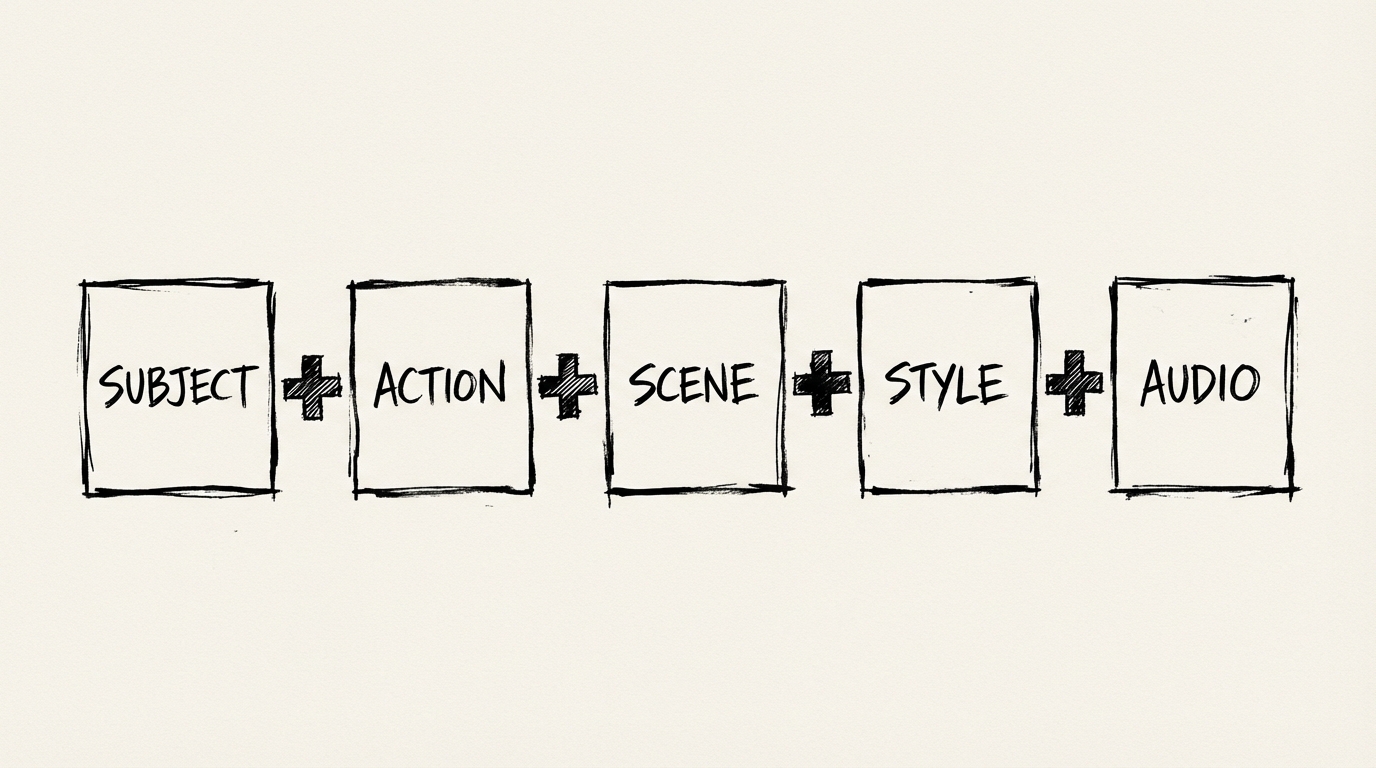
五要素公式
每一份出色的Veo 3.1 Lite prompt都包含以下五个要素:
| 要素 | 控制内容 | 示例 |
|---|---|---|
| 主体 | 画面焦点(人/物) | a woman in her 40s, silver bob haircut |
| 动作 | 正在发生的内容 | walks slowly through the frame |
| 场景 | 时间与地点 | rainy Tokyo street at night, neon reflections on wet pavement |
| 风格 | 视觉美学 | cinematic 35mm film grain, shallow depth of field |
| 音频 | 声音设计 | SFX: rain and distant traffic, no music |
你不需要每次都集齐五个要素,但标注得越详细,对输出的掌控力就越强。
糟糕的prompt示例:
一名女子在夜晚的城市中行走。
出色的prompt示例:
中景。一名留着银灰色波波头的40多岁女性,慢步穿过雨夜的东京街道。霓虹招牌在她身后的湿路面上反光。她瞥了镜头一眼。带有35mm胶片颗粒感,浅景深。音效:雨声、远处车流声、高跟鞋踩在湿混凝土上的声音。
主体相同,结果完全不同。
镜头类型:告诉模型如何构图
一定要把镜头类型放在最前面。Veo 3.1 Lite会优先读取开头内容——如果你把构图要求埋在末尾,通常会被模型忽略。
| 镜头类型 | 缩写 | 适用场景 |
|---|---|---|
| 大特写 | ECU | 纹理、情绪、单个细节 |
| 特写 | CU | 面部、表情、亲密氛围 |
| 中景 | MS | 对话、腰部以上的动作 |
| 全景 | WS | 环境、确立场景规模 |
| 大远景 | EWS | 史诗风光、孤独氛围 |
示例:
Close-up shot. A man's hands carefully folding a paper crane. Soft natural light from a window left of frame. No music, just the sound of paper rustling.Extreme wide shot. A lone figure walks across a white salt flat at dusk. Heat distortion visible on the horizon. Silence.Medium shot. Two astronauts argue in a cramped space station corridor. Fluorescent lighting flickers overhead. Ambient hum of life support systems.摄影机运动:每个Prompt指定一种运动
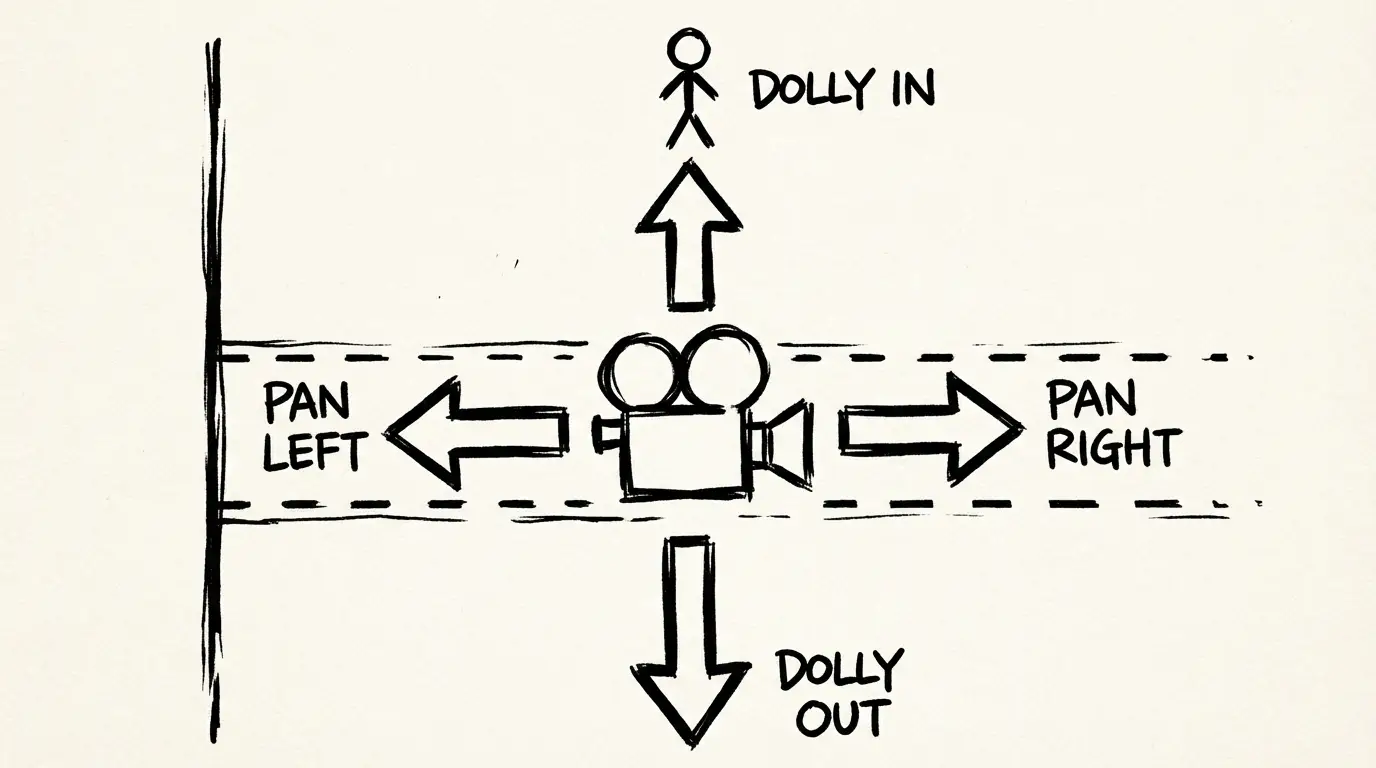
如果你不指定摄影机运动,Veo默认会生成静止或轻微浮动的画面。这对特写来说没问题,但会让宽景显得呆板无趣。
**规则:每个片段只指定一种主要摄影机运动。**堆叠多种运动会让模型混乱。
| 运动 | 效果 | 使用场景 |
|---|---|---|
dolly in | 摄影机向主体推进 | 制造张力、展现情绪 |
dolly out | 摄影机远离主体 | 展现规模、结束场景 |
pan left / pan right | 水平旋转 | 跟随运动、扫视环境 |
tracking shot | 跟随主体移动 | 奔跑场景、追逐戏份 |
crane shot rising | 摄影机向上抬升 | 宏大揭晓、场景转场 |
dolly zoom | 推拉反向结合 | 迷失感、心理张力 |
将摄影机运动单独写为一句话:
Wide shot. A fox trots across a snow-covered field at dawn.
The camera dollies in slowly as it pauses and looks directly at lens.
Pale morning light, no wind.
SFX: snow underfoot, distant bird call.
真正有效的镜头术语
镜头对景深和情绪距离的影响比任何其他变量都大。
| 镜头 | 质感 | 使用时机 |
|---|---|---|
16mm wide angle | 开阔,边缘畸变 | 建筑、风光、动作戏 |
35mm | 自然,略带亲密感 | 纪录片、街拍、对话 |
50mm | 人眼真实视角 | 中性、通用场景 |
85mm portrait | 背景压缩,亲密感 | 人物肖像、情绪表达 |
telephoto 200mm | 高度压缩,监视感 | 监视氛围、野生动物 |
使用镜头术语的示例:
Close-up. 85mm portrait lens.
A chef tastes from a wooden spoon in a busy kitchen.
His expression shifts from concentration to satisfaction.
Warm practical lighting from overhead heat lamps.
SFX: kitchen noise fades as he focuses, brief silence, then resumes.
如何为音频编写Prompt
Veo 3.1 Lite会自动生成原生音频,但生成内容完全取决于你的指定要求。不做音频prompt,你只能得到通用的环境混音;做好音频指定,就能得到符合创作意图的声音效果。
你可以控制三个音频要素:
1. 对话
将台词用引号括起来并标注说话人:
A man in a grey suit sits across a boardroom table and says,
"We don't have time to wait for the perfect moment."
2. 音效(SFX)
使用SFX:前缀并进行具体描述:
SFX: glass shattering on marble floor, then silence.SFX: typewriter clacking, street noise through an open window, coffee cup placed on wood.3. 环境音
使用Ambient:前缀或描述场景中的音景:
Ambient: the low electrical hum of a server room, no other sound.Ambient: busy café — espresso machine, murmured conversations, jazz from a speaker in the corner.20+个开箱即用的Prompt
直接将它们复制到生成器中使用。每个Veo都已在Veo 3.1模型系列上测试通过。
商业/产品
Medium shot. A barista pours steamed milk into an espresso, creating a slow-motion latte art bloom.
Camera dollies in slightly as the pattern forms.
Warm coffee-shop lighting, shallow depth of field on the cup.
SFX: steam hiss, the soft clink of ceramic, faint café ambience.
Extreme close-up. A luxury watch's second hand sweeps across the dial in real time.
Camera static, 85mm lens.
Deep black background, single overhead key light catching the sapphire crystal.
SFX: quiet ticking, nothing else.Wide shot. An electric SUV rounds a coastal cliff road at sunrise, ocean below.
Camera pans right to follow the car, then holds as it disappears around the bend.
Golden hour light, light lens flare.
SFX: electric motor hum, wind, distant waves.电影/叙事
Close-up. An elderly woman reads a handwritten letter.
Her eyes move across the page, then stop.
She folds it slowly without finishing.
Natural window light, 50mm, slight film grain.
SFX: paper folding, ambient silence of an old house.
Wide shot. A lone astronaut floats outside a space station against the curve of Earth.
Static camera.
The ISS passes slowly left to right behind them.
SFX: breathing inside a helmet, the faint hiss of suit pressurization.Medium shot. Two detectives stand at a rain-soaked crime scene at night.
Police lights flash blue and red in the background.
One says, "This wasn't a robbery."
The other doesn't respond.
SFX: rain, radio chatter in the distance, wet footsteps.社交/竖屏(9:16)
Vertical 9:16 format. Close-up.
A hand pours honey from a jar in slow motion.
The stream catches golden afternoon light from a window behind.
Minimal background — clean white marble counter.
SFX: soft drizzle of honey, ambient silence.
Vertical 9:16 format. Medium shot.
A street food vendor flips a dumpling pan with one clean motion, steam rising.
Busy night market visible out of focus behind them.
Handheld camera feel, warm practical lighting from the stall.
SFX: sizzling, crowd noise, vendor calling out in Cantonese.建筑/环境
Crane shot rising. A brutalist apartment complex at dusk.
Camera starts at street level looking up, rises slowly to reveal the rooftop against a purple sky.
Overcast, diffused light.
SFX: city ambience fading as camera rises, wind picks up.
Wide tracking shot. Camera moves slowly down a bamboo forest path.
No people, early morning mist.
Monochromatic green palette, natural light from above.
SFX: wind through bamboo, occasional bird, footsteps on packed earth.时尚/生活方式
Vertical 9:16. Medium shot.
A model in an oversized linen blazer walks through a sunlit alley.
She turns once toward the camera, then continues.
Backlit, hazy afternoon light, handheld slight movement.
SFX: light footsteps, ambient city sound at low volume.
浪费点数的常见错误
1. 多个同时进行的动作
A man runs across a rooftop while checking his phone and shouting into the wind.
模型无法处理三个相互冲突的动作。每个片段只选择一个主要动作即可。
2. 模糊的群体规模
A crowd of people会导致几何结构不稳定。对于多人场景,使用a small group of colleagues或three people可获得稳定结果。
3. 只提负面要求,不给出正面描述
No buildings in the background通常会失败。应该改成:a desolate field with no structures in sight。
4. 叠加多个镜头运动
Dolly in while panning left and tilting up会产生不稳定的运动。每个片段只设置一种镜头运动。
5. 没有指定构图要求 省略镜头类型意味着由模型选择,它通常会选中景。如果你想要其他效果,请明确说明。
观看:专业级Prompt技巧
本分析通过实际案例讲解了在Veo 3.1上,优劣prompt的区别:
在Veo 3.1 Lite上试用这些Prompt
如果你专门使用image-to-video,请查看专门的Veo 3.1 Lite 图生视频指南,获取产品照片输入提示和适配I2V的prompt模板。
上述所有prompt都兼容Veo 3.1 Lite。8秒视频仅需20点数,你可以用100点数运行5个测试变体,在最终渲染前找到合适的方案。
→ 打开Veo 3.1 Lite 生成器 — 粘贴上述任意prompt,数秒即可生成。
常见问题
声明
本文的Prompt示例和技巧指南基于Google官方Veo 3.1 prompt文档和社区测试整理而成。不同模型层级的结果可能有所差异。
更多文章
PixVerse V6:电影级摄影机控制、原生音频与15秒视频片段
PixVerse于2026年3月30日推出V6版本——带来20余项电影级摄影机控制、原生音频同步、多镜头引擎,以及最长15秒的1080p原生输出。本文将介绍本次更新内容,以及它是否适配你的工作流。

AI视频导演:NanoBanana的智能代理如何将你的创意转化为完整视频
NanoBanana的AI视频导演代理可通过单一prompt自动完成完整的视频制作流程——剧本、角色、场景、故事板以及最终视频片段
Veo 3.1 Lite 图生视频:一分钟内将产品照片转为视频剪辑
如何使用 Veo 3.1 Lite 的 image-to-video 模式,从静态照片生成产品演示、社交媒体内容和品牌视频——本文包含真实案例与工作流技巧